
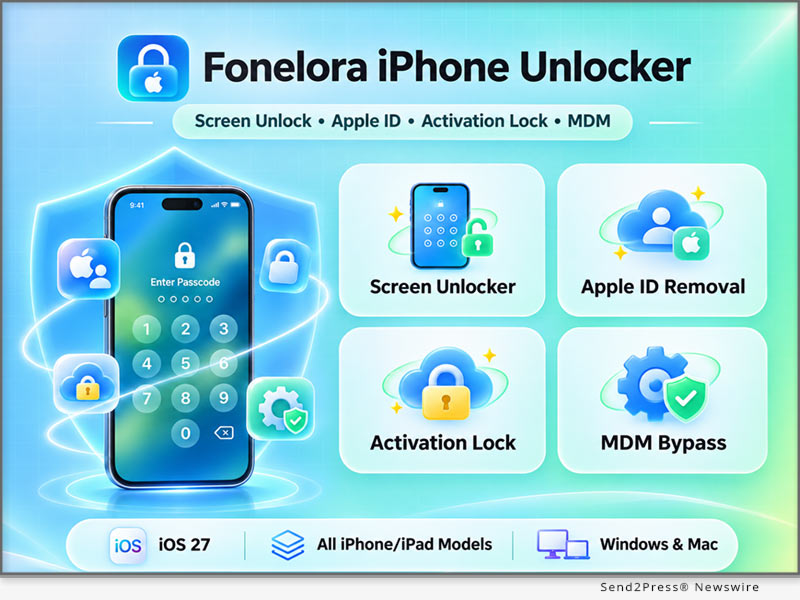
LOS ANGELES, Calif. /CitizenWire/ -- Fonelora Inc. today announced the official launch of Fonelora iPhone Unlocker, a desktop software solution combining screen passcode removal, Apple ID removal, iCloud Activation Lock bypass, and Mobile Device Management (MDM) unlocking. With an intuitive interface and guided workflows, the software helps authorized users address common iPhone and iPad lock issues, from forgotten passwords to activation and management restrictions.
While Apple's security features protect devices and personal data, forgotten credentials and management restrictions can prevent legitimate owners from regaining access.
"Fonelora iPhone Unlocker brings four essential unlocking features into one easy-to-use application," said Frank Kong, CEO of Fonelora Inc. "Our goal is to simplify device unlocking and help authorized users regain access through clear, guided steps."
FOUR CORE FEATURES FOR COMMON IPHONE AND IPAD LOCK ISSUES
Fonelora iPhone Unlocker brings four dedicated unlocking functions into one desktop application, providing solutions tailored to different device lock scenarios.
1 --- Unlock Screen Passcode: Remove Different Types of iPhone Screen Locks
Fonelora iPhone Unlocker helps users remove 4-digit passcodes, 6-digit passcodes, custom passcodes, and screen lock restrictions associated with Face ID and Touch ID on compatible iPhone, iPad, and iPod touch devices.
Whether users have forgotten their passcodes, entered incorrect passwords repeatedly and encountered an "iPhone Unavailable" or "Security Lockout" message, or cannot enter a passcode because of a damaged or unresponsive screen, the software provides step-by-step guidance to help restore device access.
Screen passcode removal generally involves erasing device data. Users are advised to check for available backups before proceeding.
2 --- Unlock Apple ID: Remove an Apple ID Without the Original Password
When users cannot access the password for an existing Apple ID or need to address an account still signed in on an older device, Fonelora iPhone Unlocker provides a dedicated Apple ID removal feature.
On eligible devices, users can follow the software's instructions to remove the existing Apple ID and sign in with their own account, restoring access to supported Apple services and personalized settings.
3 --- Bypass iCloud Activation Lock: Address Activation Lock on iPhone and iPad
When an iPhone or iPad displays "iPhone Locked to Owner" or an Activation Lock verification screen after a factory reset, the device may require the Apple ID and password previously associated with it before setup can continue.
Fonelora iPhone Unlocker provides a dedicated iCloud Activation Lock bypass feature to help authorized users address activation restrictions on supported device models and iOS versions and continue device setup.
Compatibility depends on the specific device model and operating system version. Some bypass methods may involve limitations related to cellular connectivity, Apple services, system updates, or subsequent device resets. Users should review these conditions before proceeding.
4 --- Bypass MDM: Bypass Remote Management and Remove Local MDM Profiles
For iPhone and iPad devices managed by businesses, schools, and other organizations, Fonelora iPhone Unlocker offers two distinct approaches to Mobile Device Management (MDM) restrictions:
* Bypass Remote Management: When a device is stuck on the Remote Management screen during initial setup, authorized users can follow guided instructions to bypass the management sign-in screen on compatible devices without entering an MDM username or password.
* Remove Local MDM Profiles: On compatible, activated iPhone or iPad devices that users can access, the software helps authorized users remove locally installed MDM profiles without erasing photos, messages, or other local data.
ADDITIONAL BENEFITS FOR A SIMPLER IPHONE UNLOCKING EXPERIENCE
Beyond its four core functions, Fonelora iPhone Unlocker offers several benefits designed to simplify the unlocking process:
* Fast and Easy Unlocking: Follow a clear three-step process to complete supported unlocking operations in as little as five minutes, without advanced technical knowledge.
* Broad Device Compatibility: Supports multiple generations of iPhone, iPad, and iPod touch, with compatible devices running iOS/iPadOS versions from 5 through 27.
* Professional Technical Support: Get assistance with device connections, feature compatibility, and unlocking-related questions.
* Privacy-Focused Design: Use desktop-based unlocking workflows with measures designed to protect users' personal information.
Different unlocking modules have their own device, system, and operational requirements. Users should select the appropriate feature for their lock type and confirm compatibility before proceeding.
Fonelora iPhone Unlocker Product information: https://www.fonelora.com/iphone-unlocker/
UNLOCK IPHONE AND IPAD IN THREE SIMPLE STEPS
Fonelora iPhone Unlocker features an intuitive graphical interface that simplifies complex unlocking procedures into three main steps:
1. Select an Unlocking Mode: Launch Fonelora iPhone Unlocker on a Windows PC or Mac and select Screen Passcode Unlock, Apple ID Removal, iCloud Activation Lock Bypass, or MDM Unlock based on the device's lock type.
2. Connect the Device and Start Unlocking: Connect the iPhone or iPad via USB, confirm the device information, and follow the software's prompts to begin the selected process.
3. Complete the Unlocking Process: Follow the on-screen instructions to complete the procedure, then continue setting up or using the device as appropriate.
COMPATIBILITY AND PRICE
Fonelora iPhone Unlocker supports a wide range of iPhone, iPad, and iPod touch models running iOS/iPadOS 5 through 27. Available for both Windows and macOS, the software is compatible with Windows 11/10/8/7/Vista and macOS 10.13 or later. Feature availability may vary depending on the device model, iOS version, and unlocking method.
Fonelora iPhone Unlocker offers a free download, with paid plans starting at $24.99. Each license supports one computer and up to five iOS devices. The software also comes with a money-back guarantee, subject to the applicable refund policy.
ABOUT FONELORA
Fonelora Inc. develops practical mobile software solutions designed to simplify everyday device management. Its product portfolio includes Fonelora Location Changer, Fonelora Go, Fonelora Android Unlocker, and Fonelora iPhone Unlocker, covering GPS location management, location simulation, and mobile device unlocking for iOS and Android users.
Through intuitive software design, practical features, and ongoing technical support, Fonelora aims to provide a simpler and more convenient mobile device experience for users worldwide.
More information: https://www.fonelora.com/
YouTube: https://www.youtube.com/@FoneloraLocationChanger
Learn More: https://www.fonelora.com/
This version of news story was published on and is Copr. © 2026 CitizenWire™ (CitizenWire.com) - part of the Neotrope® News Network, USA - all rights reserved.
Information is believed accurate but is not guaranteed. For questions about the above news, contact the company/org/person noted in the text and NOT this website.